
How to optimize page Titles and improve click through rates

 18 Comments
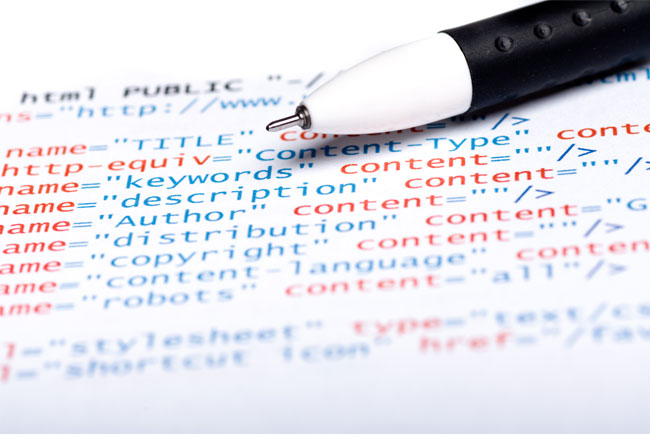
Titles are considered important both for the users and for the search engines. This week we’ll discuss some practical tips on how to optimize the Titles of your site and on how to boost your search engine results and click through rates.
First of all let’s see what Titles are and what is their impact on a website’s performance. The Title tag is a special HTML element that is placed within the HTML Head tag and that contains a brief description of the page. The Titles are considered very important for the Search Engines and thus they affect the SEO campaign of your Website.
When a user searches for a particular term on a Search Engine, he/she receives a SERP (Search Engine Results Page) that includes the titles, the snippets (a brief description) and the URLs of the first 10 results. After scanning the page, the user selects the most relevant pages based on the above information. Thus the title of a webpage is one of the most crucial elements that affect not only the SEO campaign but also the click through rate and the User experience.
Write brief, descriptive and attractive Titles
The Title should be brief (less than 65-70 characters) and descriptive, it should incorporate the important keywords of the page and it should be attractive for the users. For Example:
Xbox 360 Slim Console 250GB HDD – Games & Consoles – Example Store
Or
Xbox 360 Slim Console 250GB HDD | Games & Consoles | Example Store
Note that both | and – are great ways to separate words and phrases.
Should you include your Brand name?
One of the most controversial topics about HTML Titles and SEO is whether one should incorporate in the title the brand name of his company. On the one hand by doing so you affect your brand awareness but on the other hand you use less targeted titles. If you decide to add your brand name in all the titles of your site, another important question is where should you add it, at the beginning or at the end of the Title?
In order to answer those questions you must decide what is important for you and what is the main target of your marketing campaign. If you want much targeted and highly optimized pages you might want to avoid using your brand name in the titles of your site and in the anchor text of your backlinks during link building. On the other hand if you want to increase your brand awareness or if your brand name is very well known in your industry you probably want to add it in order to increase the click through rate.
Thus it’s position depends on your goals, on your brand awareness and on your current position in the market.
For those of you that want a straight answer on how they should form their titles, my suggestion is to add the brand name at the end of the title. This is the most common and the best practice for most companies:
Example product or service | The Example Shop
Add your important keywords first

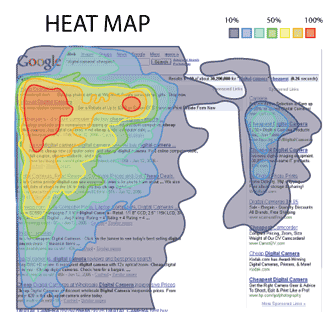
Descriptive, attractive and highly targeted Titles not only affect the SEO but also the click through rate in the SERPs. Usually it is highly recommended to write brief titles and to place the most important words first. Have in mind that user’s eye is scanning the results from left to right but it is mainly focused on the left part instead of the entire title. Additionally have in mind that Search Engines usually pay more attention on the first couple of words of the title.
So for example if you target for the term “Hotel in Mykonos” it is recommended to use this title:
Luxury Hotel in Mykonos – Hotel Greece – Example Hotel
Instead of this:
Hotel Greece – Luxury Hotel in Mykonos – Example Hotel
Use the right SEO Tools, right
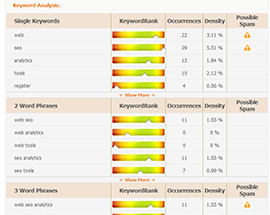
Last but not least, make sure you use the right SEO Tools properly. Scan your Pages by using the Keyword Analyzer tool, ensure your Title Relevance percentage is high, the KeywordRank of the important terms is within the green area and that you receive no Possible Keyword Stuffing warnings. Remember that you should never over optimize your Titles and that you should avoid keyword stuffing at all costs.
If you want to read more on how to write optimized titles I suggest you to read Tina’s article “7 Tips on how to write optimized webpage titles”.